

Idea round closed 20 Oct
Your Hypnexis 2026 idea PPT, in the official template.
Paste your GitHub repo or drop in your idea notes. devreport writes all 6 slides in the template’s look in a few minutes, and you submit the PDF.
See a sample deck No repo handy? Try a sample
Free to try. 15 free credits on sign‑up (enough for your first deck). No card.
- The template’s 6 slides, in its order
- Charts and diagrams from your own files
- Usually three to five minutes, a little longer for a big repo
The Hypnexis 2026 look, on an example deck
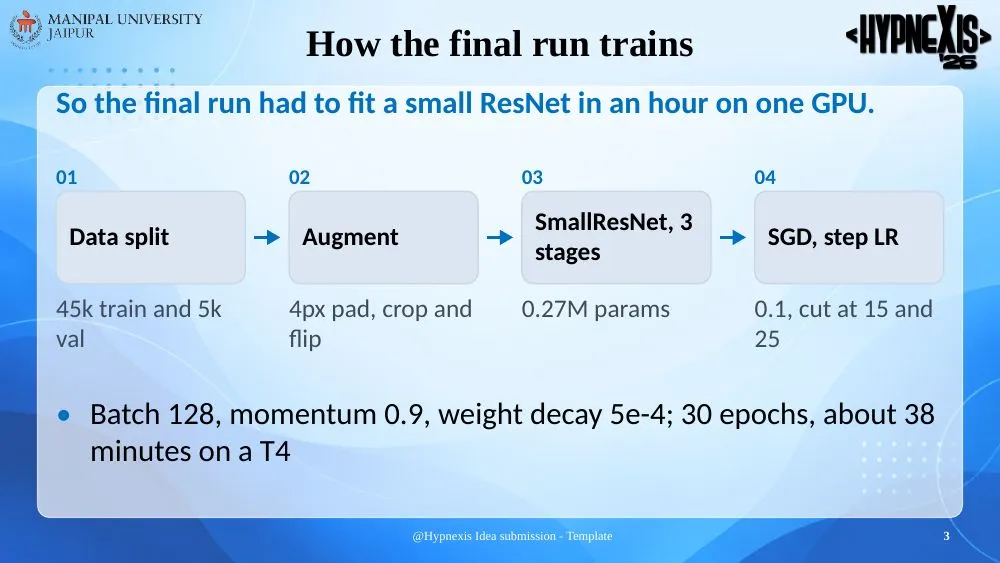
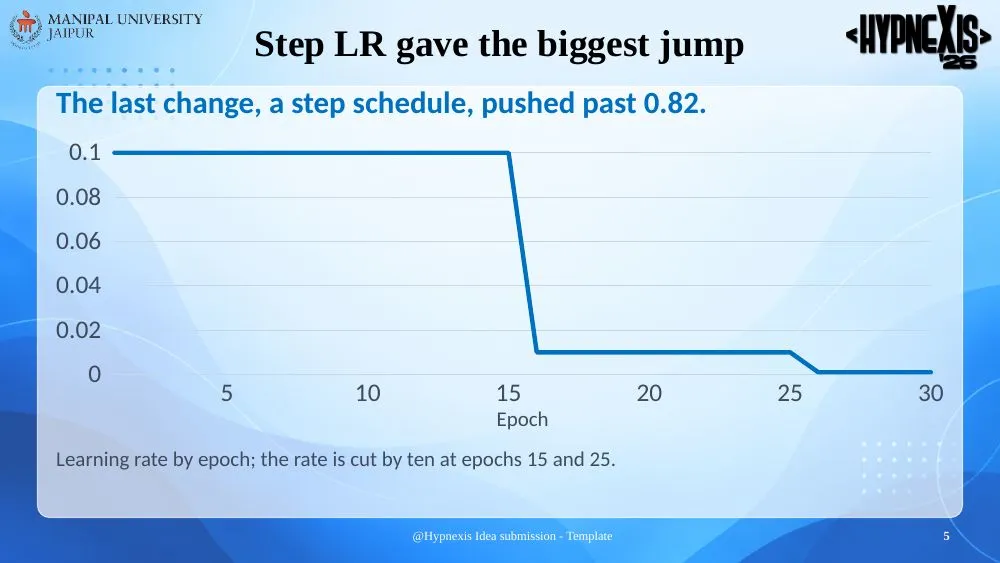
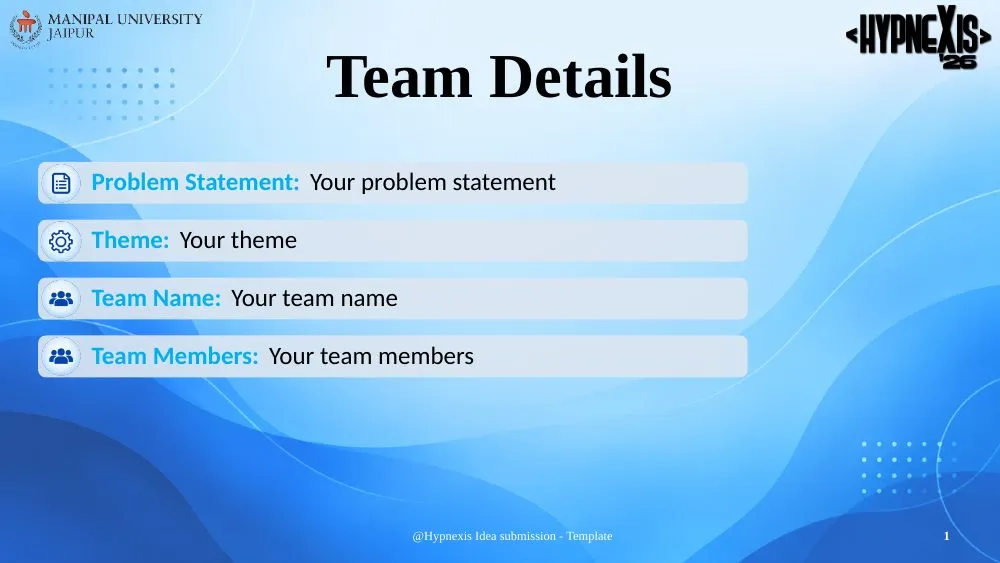
This is a student’s CIFAR-10 coursework deck in the Hypnexis 2026 theme, which is why it has 10 pages. Your deck follows the template’s 6 slides, in its order, and is written from your own repo and notes.
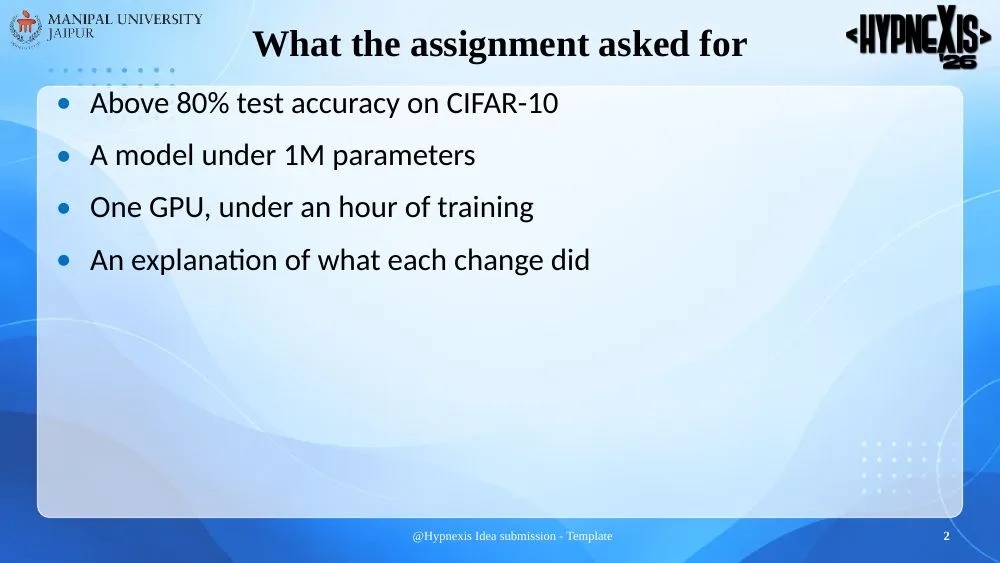
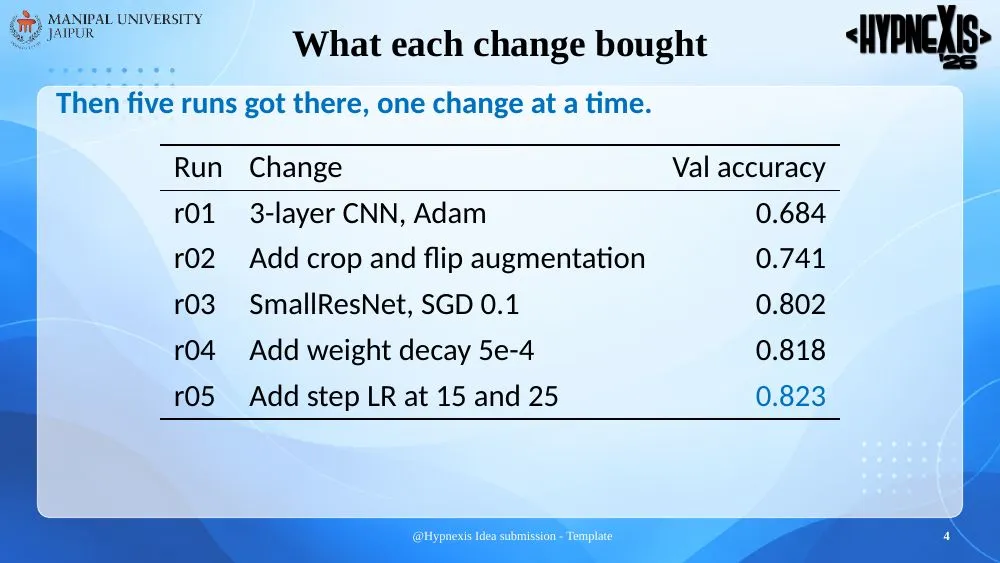
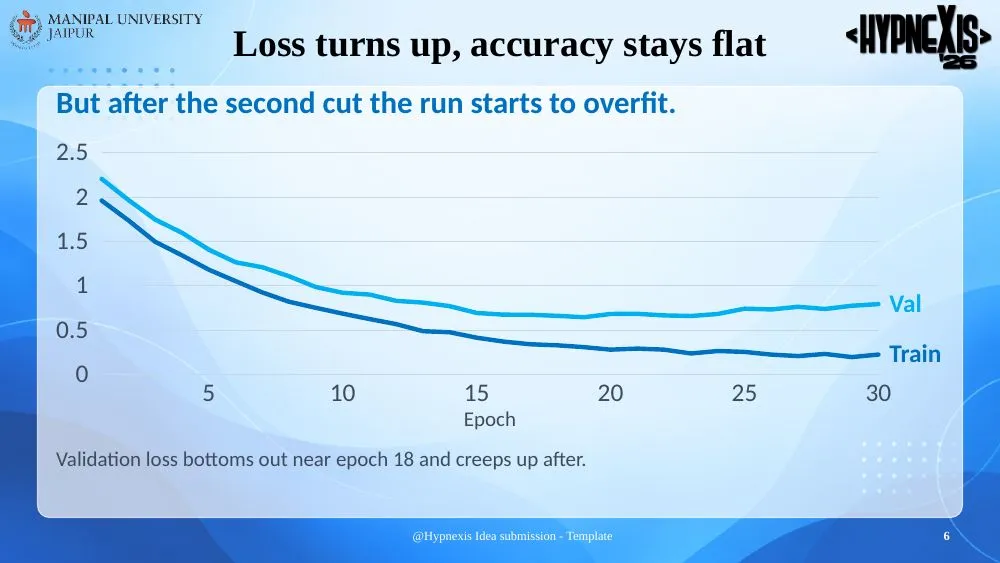
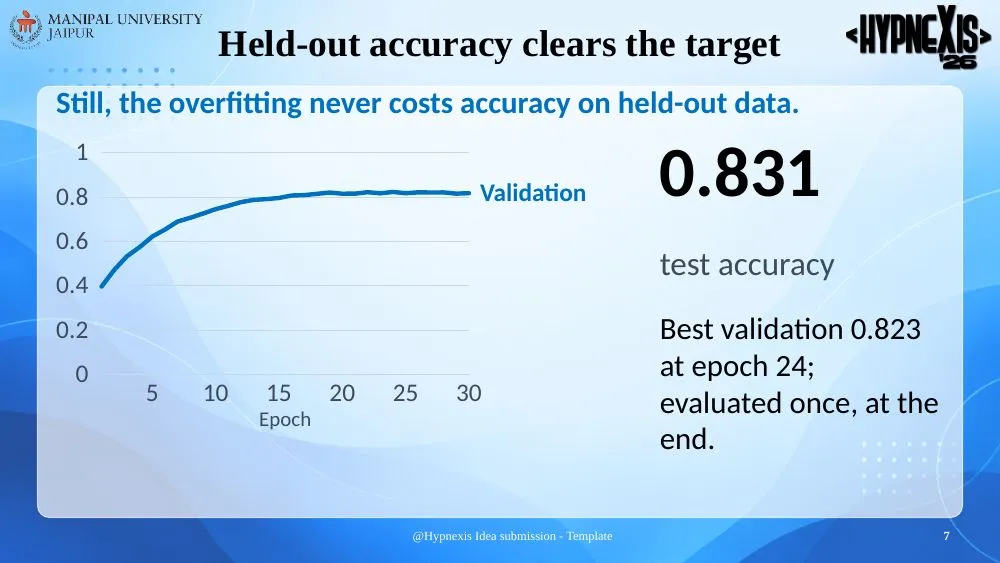
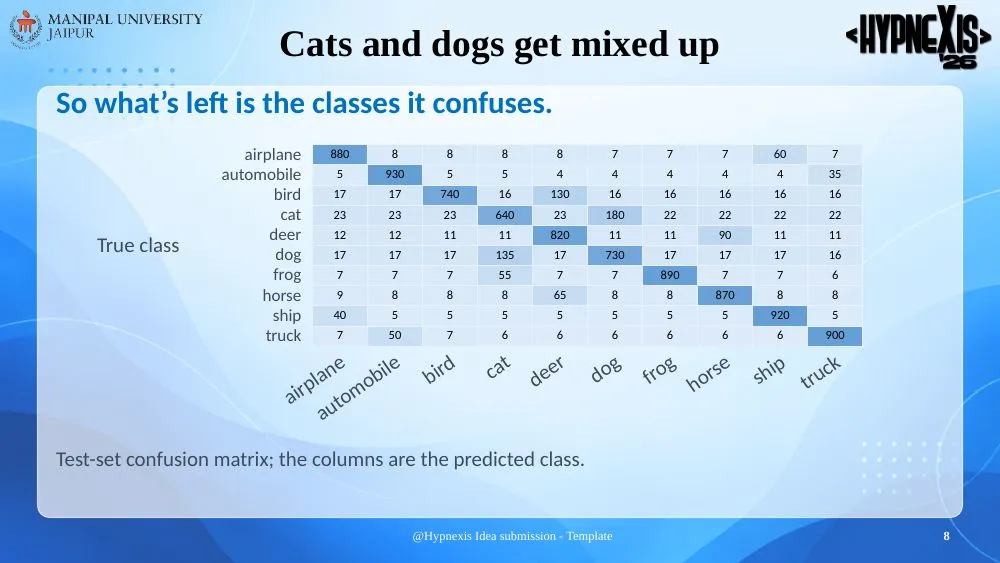
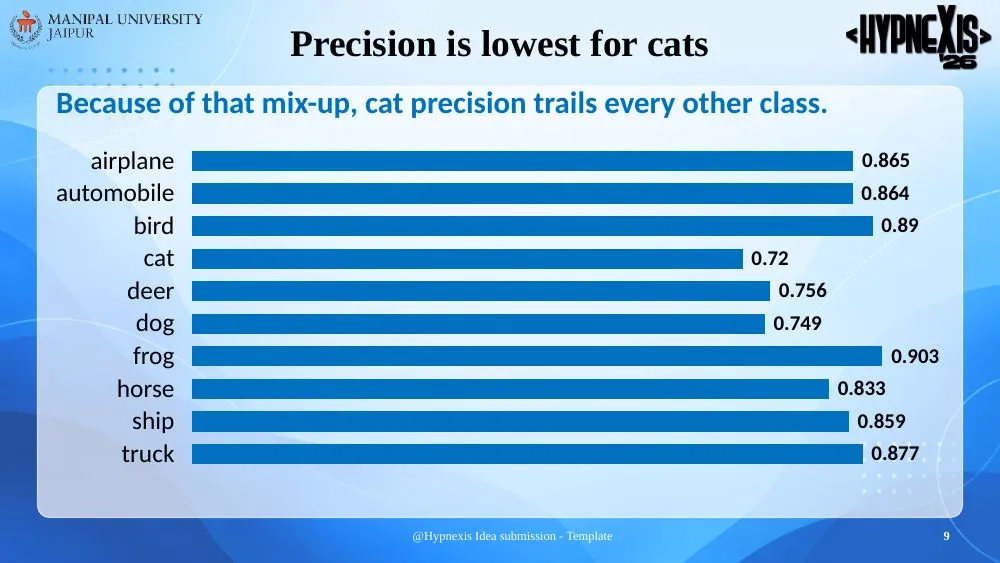
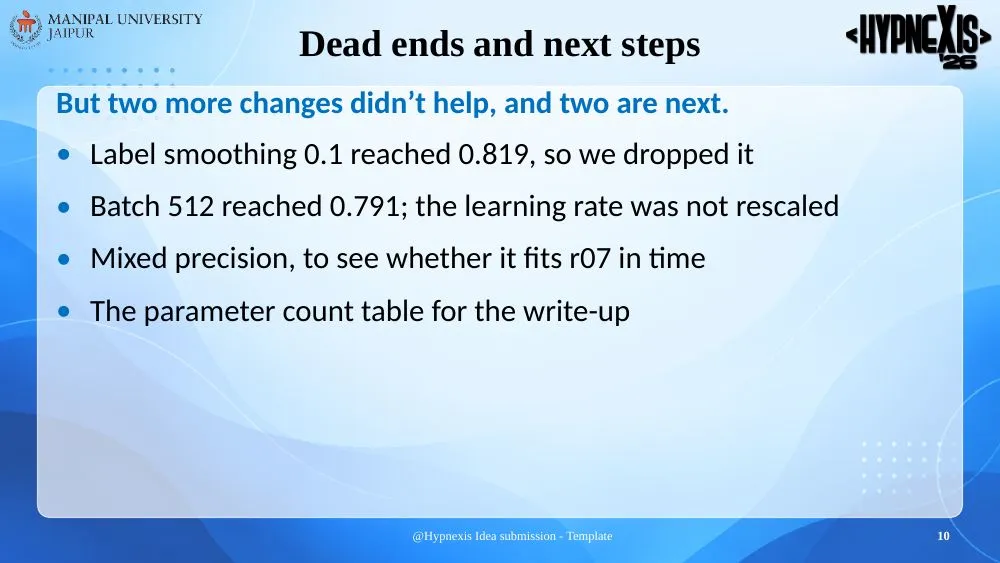
The light-blue wave background with the MUJ logo at the top left and the Hypnexis’26 logo at the top right, bold Times titles, the white “@Hypnexis Idea submission - Template” footer with the slide number, and the Team Details cover with its four bars.
How it works
- 1Start from the button
The Hypnexis 2026 template comes picked, with its slide order and its look. (Or start a deck, choose Slides and pick it under “Follow a template”.)
- 2Give it your material
The problem statement, your idea notes with the team details the cover asks for, and your repo or screenshots if you have them.
- 3Answer its questions
It asks for any cover detail your notes don’t have, and what it needs to know about the idea.
- 4Check it and submit the PDF
Fix a word on the page yourself or ask for changes, then download the PDF.
The round
- Organiser
- Manipal University Jaipur
- Idea round
- Closed (20 October 2026)
- What you submit
- A PDF or .pptx of at most 6 slides, made from the provided template (the guidelines slide is deleted first)
A rebuild, not affiliated. devreport is not affiliated with Hypnexis 2026 or Manipal University Jaipur. The theme copies the layout of the organiser’s template file; the round’s rules decide what you may submit.
The 6 slides of the template
Pick the Hypnexis 2026 template and the deck follows these, in this order, in the template’s look.
| Slide | What the template asks for | What to give devreport |
|---|---|---|
| 1. Team Details | Problem statement, theme, team name and team members | These four, word for word, in your notes. It copies them and never guesses |
| 2. About the Project | The problem statement, the proposed solution and its key features | The problem statement text and your idea notes |
| 3. Technical Approach | The technology stack and the implementation; the GitHub and deployment links for software, a demo video link for hardware | Your stack, your repo and deployment link, a rough flow in words or a Mermaid diagram, screenshots |
| 4. Feasibility and Viability | Whether it works and can be demonstrated, and the risks | The real risks you see; it won’t make them up |
| 5. Impact and Benefits | Who it helps and how | Who it is for and any numbers you can source |
| 6. Research and References | The research and links behind the idea | Your list of sources; it lists only those |
Questions
Is this the official Hypnexis 2026 template?
It is a rebuild of the template Manipal University Jaipur gives for the idea round: the same slides, in the same order, with its look. devreport is not affiliated with Hypnexis 2026 or Manipal University Jaipur, and the result is a PDF, not the template file itself.
Can I submit the devreport PDF?
The round asks for a PDF or .pptx of at most 6 slides, made from the provided template (the guidelines slide is deleted first). If your round wants the template file itself, copy the text, diagrams and charts into it. Check the organiser’s rules when in doubt.
We only have an idea, no code yet. Does it still work?
Yes. A repo is optional. Upload the problem statement, your notes on the idea and any data or screenshots, and it writes the slides from those. It won’t invent research, users or results you don’t give it.
Can I fix things myself before submitting?
Yes. Click any text on a slide to change it, move or resize charts and pictures, or ask for a change in plain words. Hand edits are free.
How long does it take?
Usually three to five minutes, a little longer for a big repo, plus the time you take to answer its questions.
What does it cost?
New accounts get 15 free credits. A deck costs 10 credits and each change you ask for afterwards costs 1; editing text on the page yourself and switching themes are free. A build that fails gives its credits back.
Other hackathon templates
- CodeSprint 2026 PPT template
- Celestia 2026 PPT template
- Build With Bharat 5.0 2026 PPT template
- Tech Eximius 2.0 2026 PPT template
- CodeNexus India 2026 PPT template
- Nexus InnovateX 2026 PPT template
- CodeTitans India 2026 PPT template
- Bits2Wave 2026 PPT template
- Code-X-Novas Innovathon 2026 PPT template
- DataNyx 2026 PPT template
- Black-Box Protocol Stage 03 2026 PPT template
- AETHOS Day Zero 2027 PPT template
- AWS AI for Bharat 2026 PPT template
- Google Solution Challenge 2026 PPT template
- DevHack 2026 PPT template
- Colossus 3.0 2026 PPT template
- SIH 2026 PPT template
- All hackathon templates
Related
Hypnexis 2026, filled from your notes.
Your idea and repo in; the Hypnexis 2026 slides out as a PDF. Not affiliated with the organisers.
Make my Hypnexis 2026 deck